IDE Logging management
Despite the fact that the IDE crash is a very rare phenomenon, sometimes it can happen, that something goes wrong. The IDE is distinguishing between several different kinds of run exceptions. When the exception occurs, the IDE handles it according to its severity and adds a description of the root cause into a local log file.
Below is the description of the most important log file locations.
HighTec IDE Error Log File
The HighTec IDE error Log file contains all the warnings and errors logged by plug-ins. The log file is a .log file stored in the .metadata subdirectory of the workspace.
<WORKSPACE_LOCATION>\.metadata\.log
Eclipse CDT Core Log File
The Eclipse CDT error log file contains the warnings and errors logged by the CDT core plug-in. The log file is a .log file stored in the following location:
<WORKSPACE_LOCATION>\.metadata\.plugins\org.eclipse.cdt.core\.log
HighTec Features Log File
runtime environment ???
<WORKSPACE_LOCATION>\.metadata\.hightec.features\.log\HighTecLog_<YYYYMMDD>.txt
Besides the crash log files, the IDE also provides logging the build process. There are two kinds of these logs as described below.
Project Build Log File
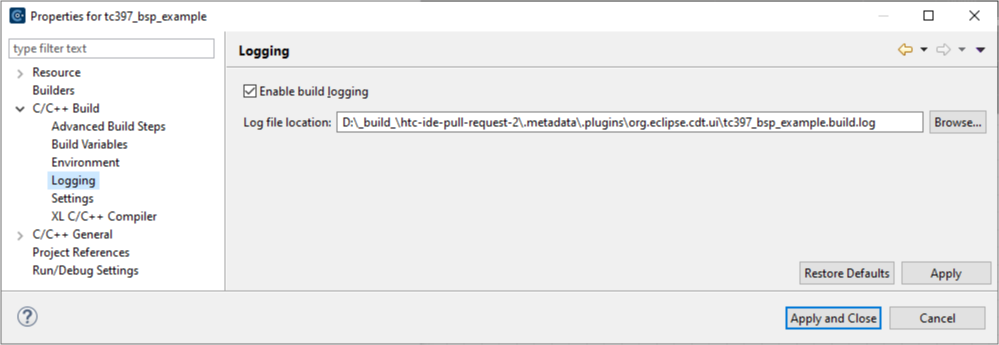
The project build log file contains the output from the last build and is the same as that log provided in the CDT Build Console. The default log file name and location is defined as follows:
<WORKSPACE_LOCATION>\.metadata\.plugins\org.eclipse.cdt.ui\<PROJECT_NAME>.build.log
You can change the log file name and the location from menu Project → Properties → C/C++ Build → Logging.
Global Build Log File
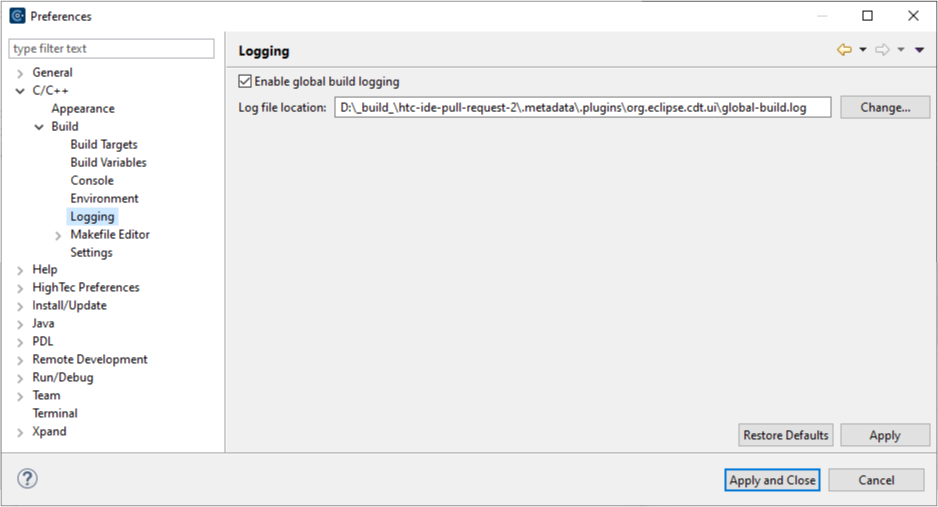
The global build log file contains the output from the CDT Global build console, which is the single build console for multi-project builds. In other words, it means, that this console holds all the build logs from all built projects from the workspace in one place.
The default log file name and location is defined as follows:
<WORKSPACE_LOCATION>\.metadata\.plugins\org.eclipse.cdt.ui\global-build.log
You can change the log file name and the location from menu Window → Preferences → C/C++ → Build → Logging.