Compute DSP (CDSP)
The Compute DSP (CDSP) is a specialized digital signal processor available in certain AURIX™ architectures, designed for high-performance mathematical and signal processing tasks.
Similar to other auxiliary cores in the AURIX™ family, the CDSP is not the boot master. Upon a system reset, the CDSP remains in a halted/sleep state. It relies on the primary TriCore (Core 0) to initialize the system clocks and release the CDSP from reset before any DSP code can be executed.
Configuration Steps
Because of this boot dependency, you must configure both the main TriCore application and the CDSP application(s) in your debug session.
Step 1: Main TriCore Setup (The Starter)
First, configure the primary TriCore application that contains the initialization code to power on the CDSP. On the main Debug Configuration tab, select your board and the TriCore executable.
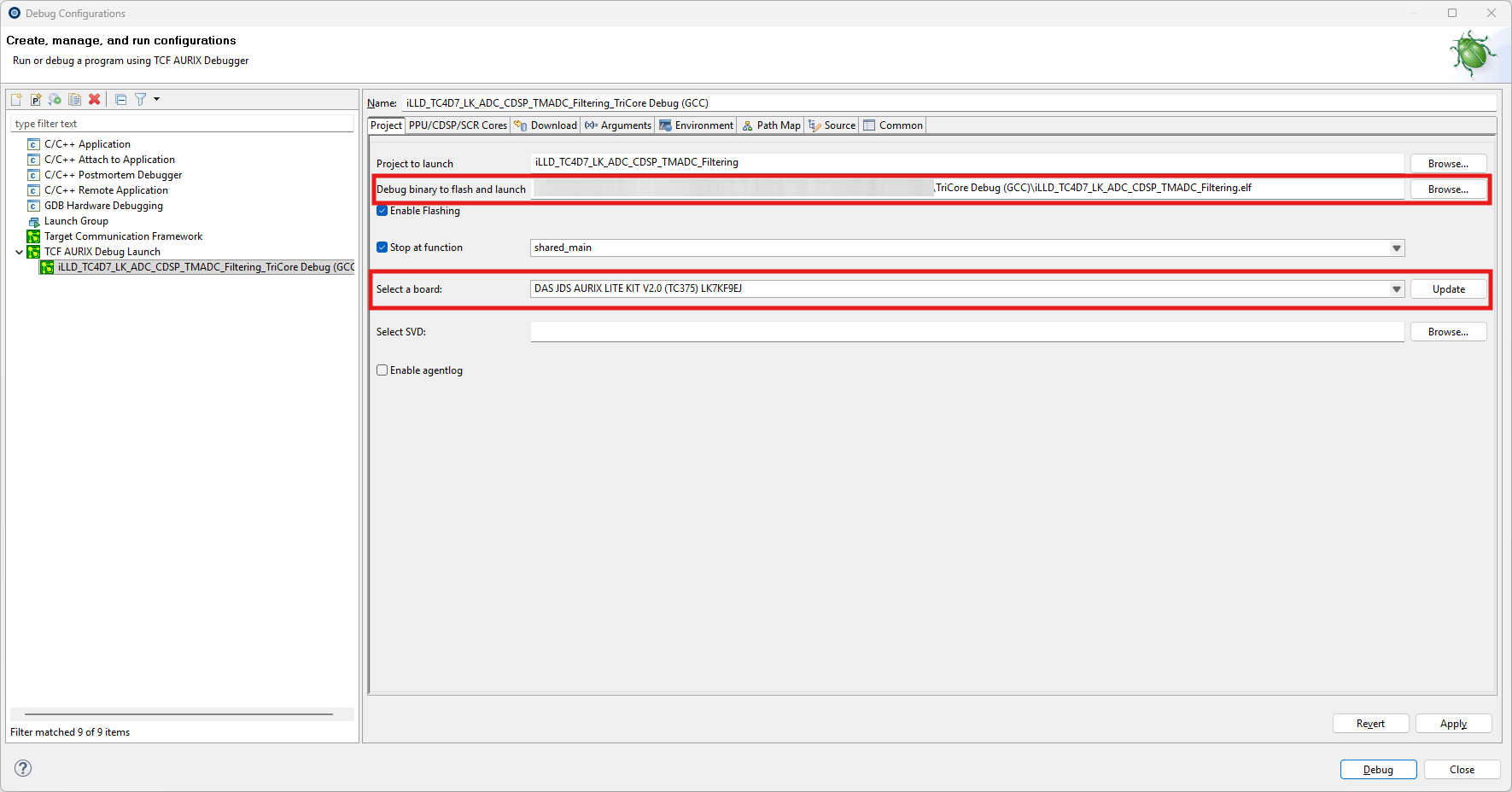
Step 2: CDSP Executable Configuration
Next, navigate to the dedicated CDSP tab in your Launch Configuration. Depending on your hardware and project structure, you can browse and add one or multiple .elf files compiled for the CDSP architecture.
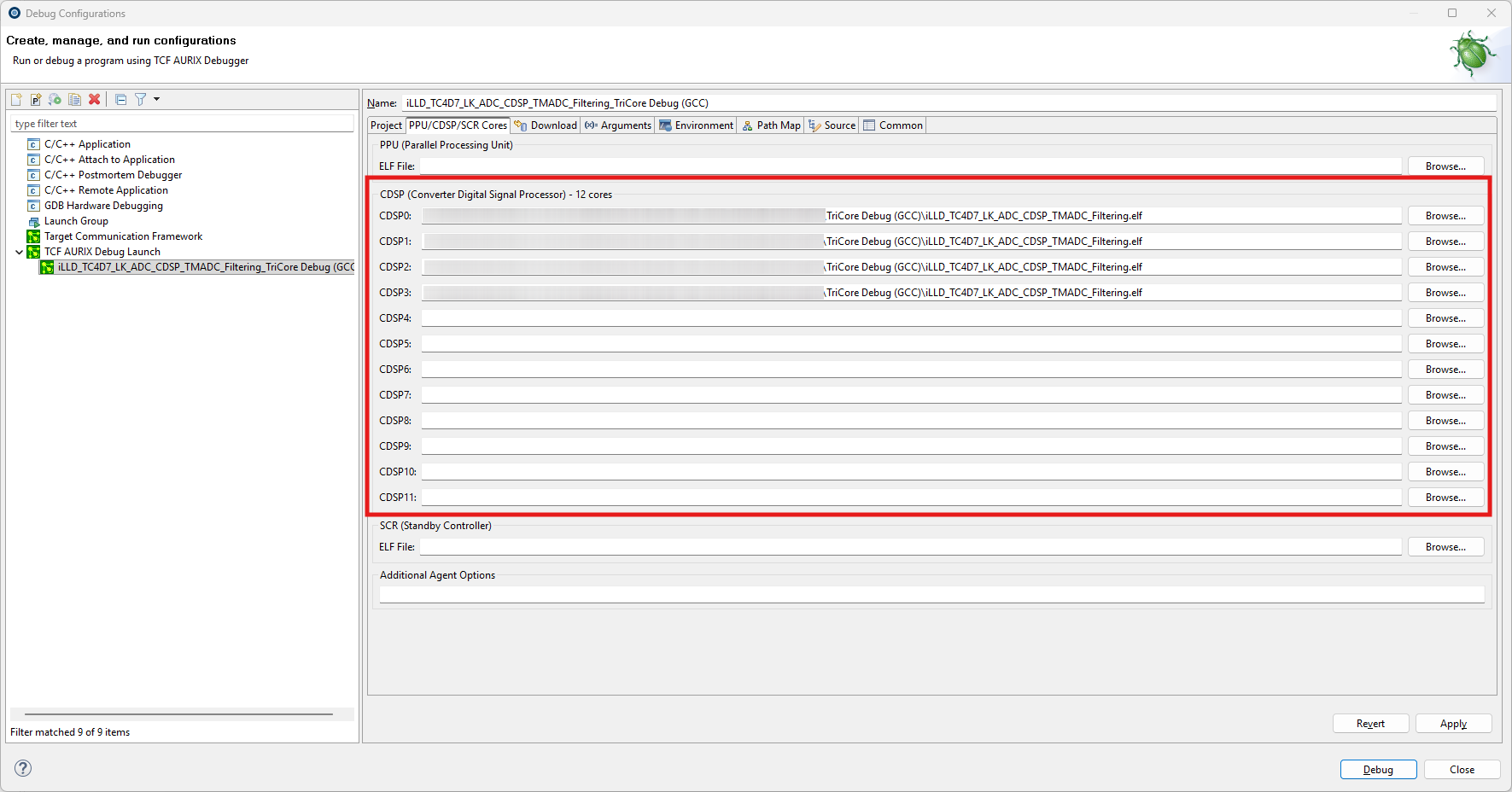
|
Hardware Limitation for CDSP Debugging: |