Parallel Processing Unit (PPU)
The Parallel Processing Unit (PPU) is a specialized vector DSP coprocessor introduced in the AURIX™ TC4xx family. Because of the hardware architecture, the PPU cannot boot independently; it requires a primary TriCore CPU to initialize the system clocks and wake the PPU from its reset state.
Therefore, debugging a PPU application requires configuring two separate .elf files: one for the main TriCore and one for the PPU.
Configuration Steps
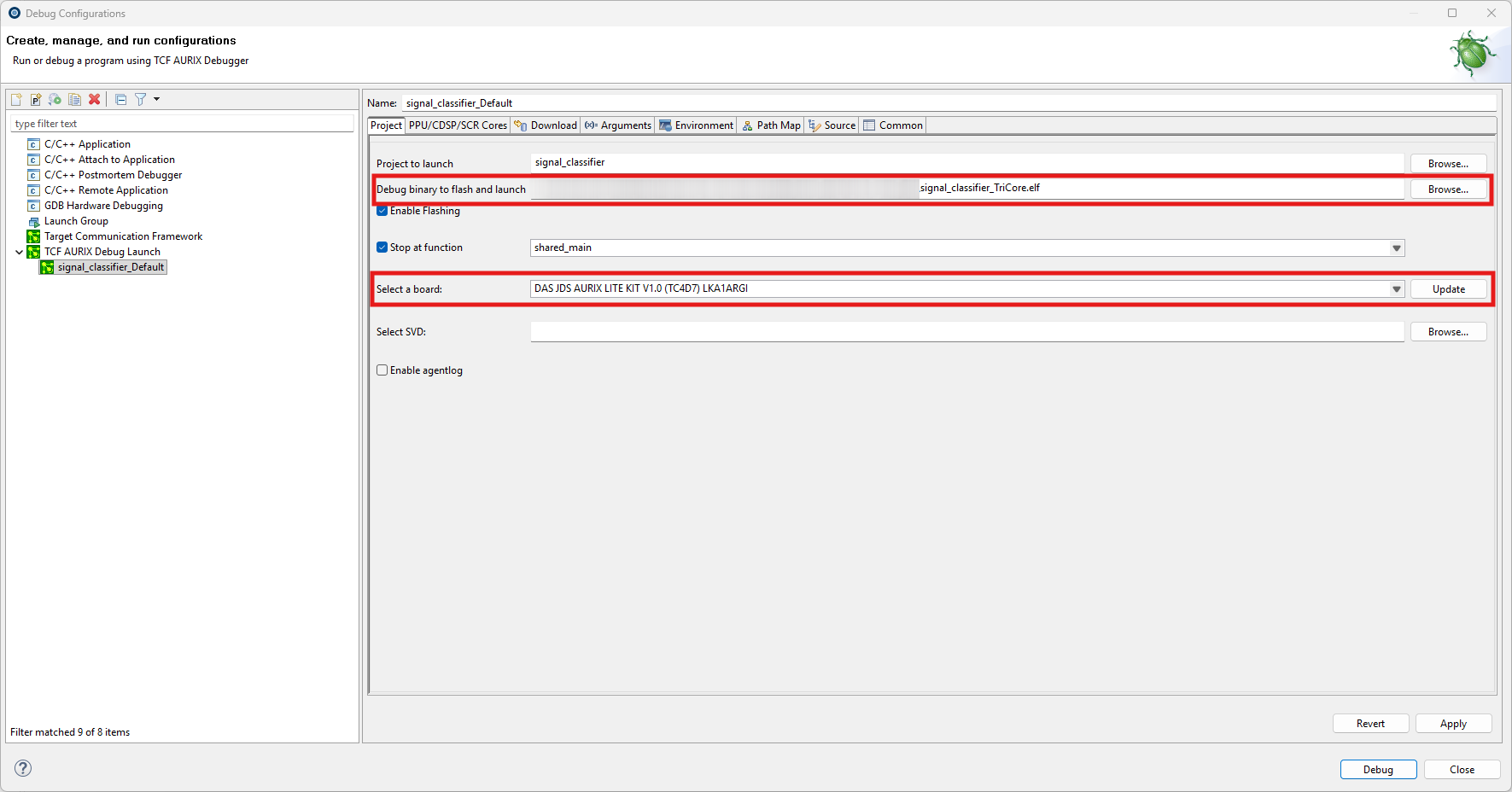
Step 1: Main TriCore Setup
First, configure the primary TriCore application that is responsible for waking up the PPU. On the main Debug Configuration tab, select your board and the TriCore .elf file.
Step 2: PPU ELF Configuration
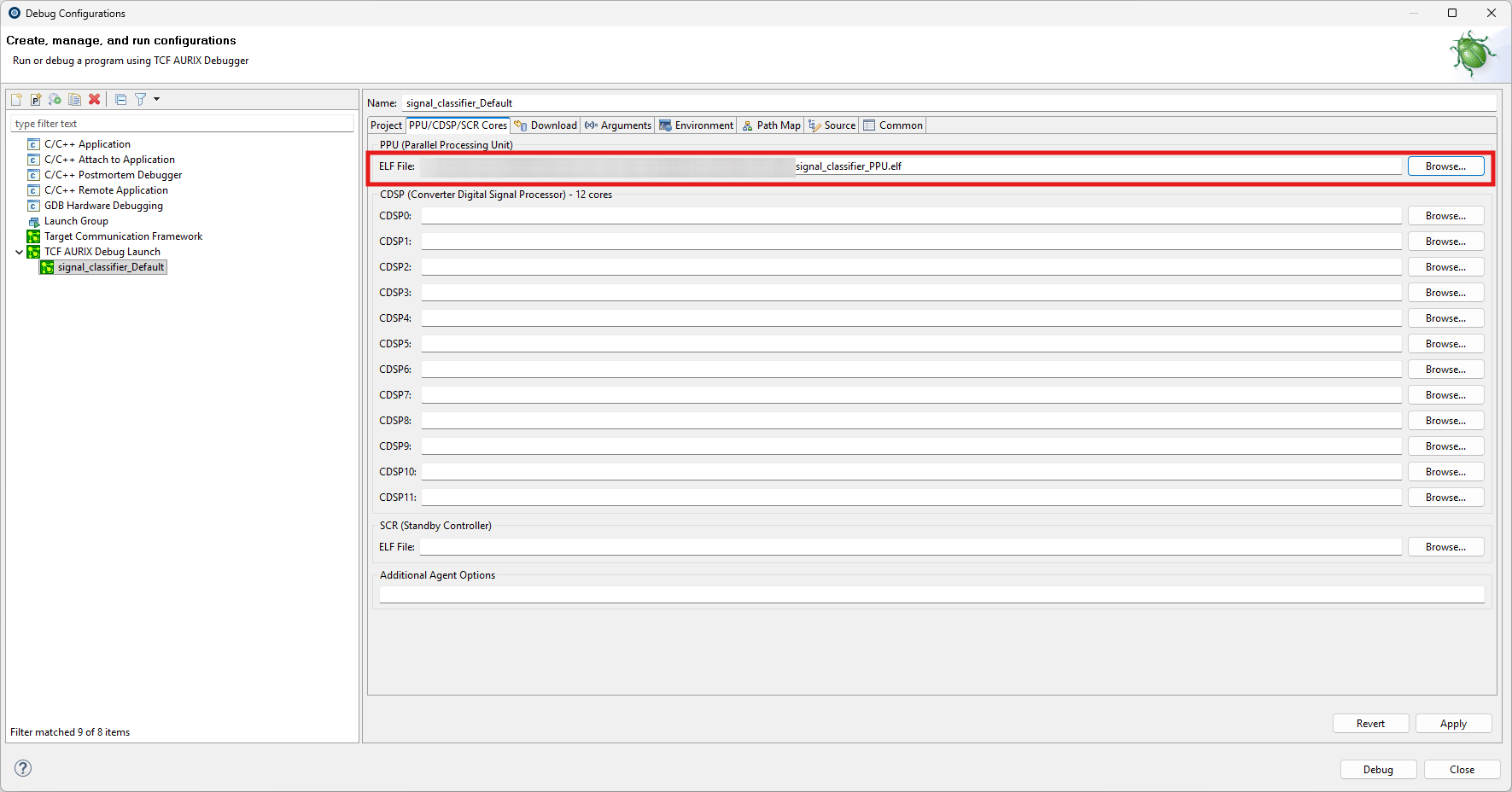
Next, navigate to the dedicated PPU (or Auxiliary Cores) tab in your Launch Configuration. Here, browse and select the specific .elf file compiled for the PPU architecture.
|
Crucial Hardware Limitations for PPU Debugging:
|