Standby Controller (SCR)
The Standby Controller (SCR) is an ultra-low power, 8-bit microcontroller embedded within the AURIX™ architectures. While it is designed to operate even when the main CPUs are in deep sleep, it requires the primary TriCore to initially configure the system clocks and enable the SCR module during startup.
Because of this dependency, debugging the SCR requires configuring both the main TriCore application (the starter) and the SCR application.
Configuration Steps
Step 1: Main TriCore Setup (The Starter)
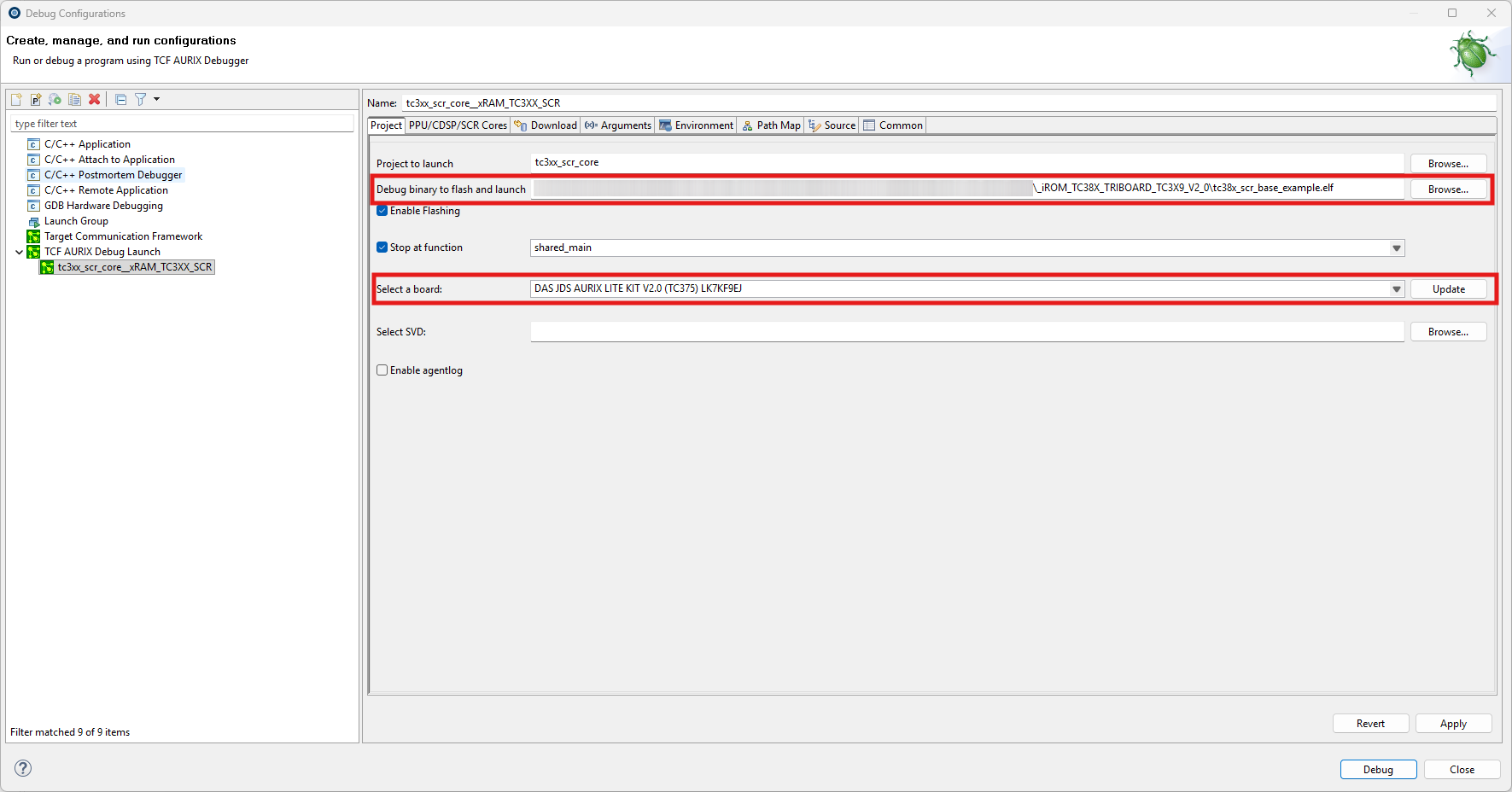
First, configure the primary TriCore application responsible for initializing the hardware and starting the SCR. On the main Debug Configuration tab, select your board and the TriCore executable.
Step 2: SCR Executable Configuration
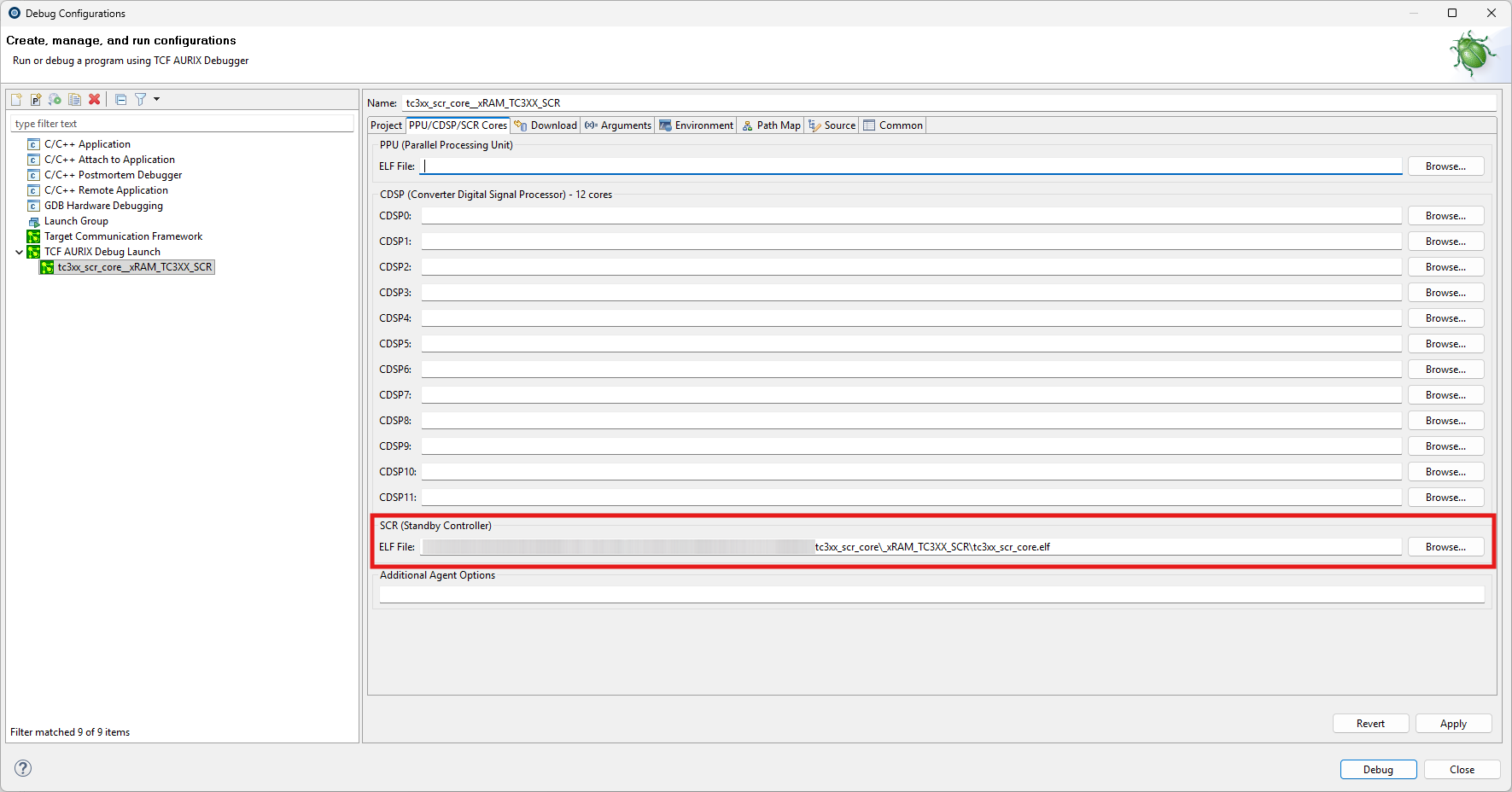
Next, navigate to the dedicated SCR tab in your Launch Configuration. Here, browse and select the specific executable compiled for the 8-bit Standby Controller.
|
Hardware Limitation for SCR Debugging: |